 info@rushtranslationservices.com
 +1-559-742-0021
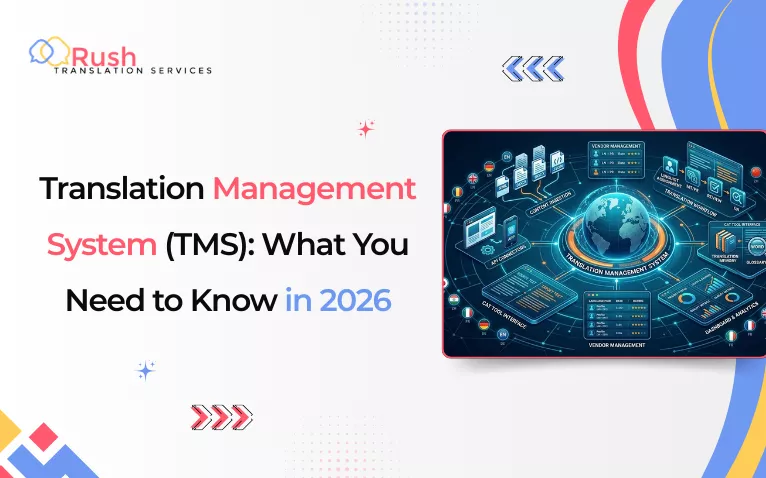
Going global implies that your content has to be in numerous languages. The process of managing translation manually can be a nightmare for the in-house crew. However, it is a relief that professional language service providers can save the day with the assistance of a Translation Management System. This guide explains all you need to know, such as what it is, what it does, and how it can be used to make the process simpler. Keep reading to become fully informed.
Key Takeaways
- A TMS automates manual tasks. It can save up to 70% of translation time and 60% of costs.
- A TMS is a single central location for your global content.
- Translation management systems contain Translation Memory and Glossaries. These tools keep your brand tone the same in every language.
- In context editing facilitates teamwork. All can work simultaneously: translators, reviewers, and managers.
- Automation reduces project timelines by 55%, which helps launch global products much faster.
- The majority of the systems connect directly to your CMS or code. This enables automatic updates and transfer of files.
What Is a Translation Management System?
A Translation Management System (TMS) automates the translation workflow. This software platform helps to eliminate repetitive tasks and reduce the mess of hundreds of spreadsheets and files.
It acts as a central hub for all multilingual content. Whether translating two languages or twenty, it helps to maintain quality and consistency across every language. Thanks to its everything-in-one-place organization.
For managing global projects, TMS is particularly helpful. Its streamlined model makes collaboration easy across globally distributed teams. Plus, its usability and features are scalable to fit unique project needs.
What Are the Features of Translation Management Systems?
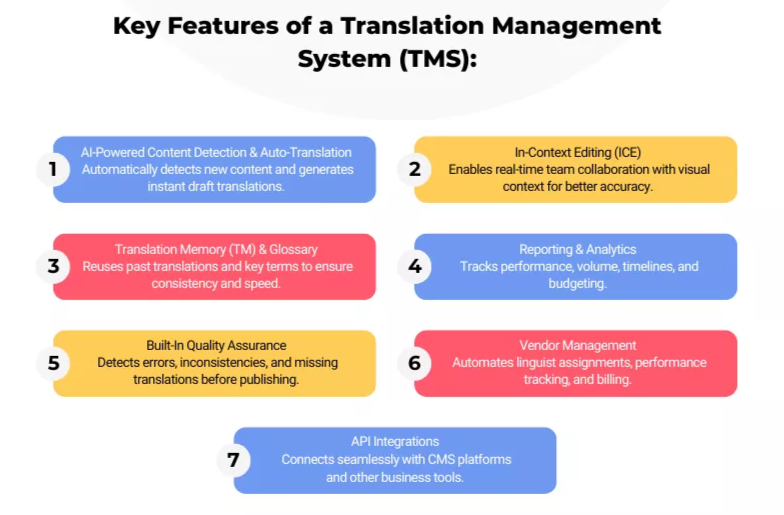
The market offers different TMS solutions that come with different features. However, the common features of a translation project management system are:
1. AI-Powered Content Detection and Automatic Translation
Modern AI powered translation management system automatically detects newly added content by scanning the updated segments in the documents. Then, the machine translation system identifies text requiring translation and becomes the most common reason for document rejection by government agencies. It generates draft translations instantly, making the initial process easier for professional translators.
2. In-Context Editing for Teams Collaboration
In-context editing (ICE) is a fantastic feature of cloud based translation management system. It simply enhances team collaboration by supporting multiple users working on a shared document simultaneously. It offers visual references for contextual understanding. For example,
- Translators can work and edit the text of the shared file.
- Reviewers can access content at the same time.
- Client-side, project managers monitor progress in real time.
As a result, accuracy and translation speed both increase. which is the diploma and degree translation requirements for US universities.
3. Translation Memory (TM) and Term Glossary
The translation management platform features translation memory. It makes Terminology Management easier. It is a storage of previously translated content for reuse. It automatically suggests glossaries and key terms when identical or similar text reappears. It helps to ensure consistency, increasing efficiency, and speed. This is an important part of machine translation post-editing process.
4. Reporting and Analytics for Workflow Management
Translation workflow management system offers detailed reporting and analytics. These insights help to measure translation volume and track performance. You can manage time better and project progress. Other benefits are better resource planning and budgeting.
5. Built-In Quality Assurance
DIY translation vs professional service checks for inconsistencies and unseen formatting errors. It also detects missing translations before publishing content. It protects the brand’s reputation by preventing unseen mistakes.
6. Translation Vendor Management
This feature supports external linguist relationships. It automates vendor assignments and centralizes performance workflow tracking. It also helps with automatic billing and invoice handling.
7. API Integration Capabilities
Translation software also supports integration with popular content management systems. Its application programming interface also integrates with client-side software.
What Is the Translation Management Process? The Workflows Explained in 4 Steps
With TMS software, professional providers of translation services manage your translation projects through a simple, structured workflow. It generally follows four steps:
- Project Setup: Content importing and assigning tasks to the team. A deadline is set, and languages are chosen.
- Translation: Teams use tools like translation memory and glossaries. They also take help from the machine translation feature to generate draft translation automation.
- Review: The content moves through a translation quality check. This step ensures the tone and accuracy are correct for your brand.
- Export: The final files are sent to the website, mobile app, or internal system.
If the enterprise translation management system is directly integrated with CMS or marketing tools, content transfer will automatically be updated. Some no-code options even allow for managing projects without help from IT.
This saves time for standard translation services and simplifies the global publishing process.
What Are the Benefits of a TMS?
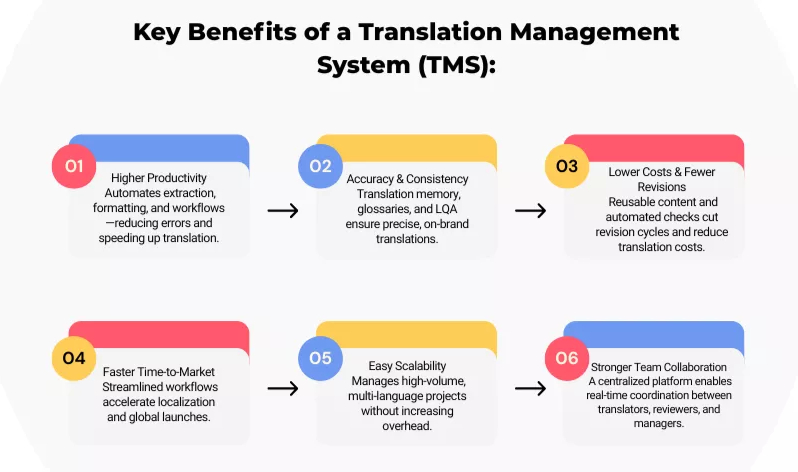
The benefits offered by translation management systems are numerous. These include:
Reduced Errors + Improved Speed = Increased Productivity
TMS reduces manual labour by automating text extraction and formatting, efficiently handling both certified vs. standard translation needs. This reduces errors in repetitive tasks and speeds up the translation process by 70%. As a result, time utilization improves on more important tasks, increasing productivity by 37%.
Accuracy + Consistency = Precision on Point
Pre-saved glossaries and translation memory ensure accurate translation and brand tone consistency. The linguistic quality assurance (LQA) automates quality checks to meet required standards. All of this results in top-notch precision.
Reduced Revision Cycles & Cost Efficiency
Due to automated translation and checks, the need for manual revision reduces by 30%. Plus, automatic content detection, updates, and reusable translated terms reduce translation cost by 60%. This is beneficial for content that needs frequent updates (e.g., product manuals, description updates).
Fast Market Launching and Localization
When you translate your business website, manual translation doesn’t work when the volume of information grows. Automating workflows can reduce project timelines by up to 55%. Website translation services with TMS help your business launch in new markets faster and reach global customers.
Better Scalability
A translation management system helps you scale without hiring more project managers. Most companies see a 30% to 50% boost in their operational efficiency. Manual tasks become difficult when content volume grows. A TMS handles large project workflows across many languages with ease. This keeps the translation quality high and your brand message consistent during the localization process.
Superior Teamwork
Lastly, the TMS platform centralizes your translation efforts and has tools to help your team work together. Translators, reviewers, and managers can collaborate in real time. This makes sharing info easy and keeps everyone on the same page.
Who Needs Translation Management Software?
Organizations with a global presence and that need to manage and translate content in multiple languages must work with professional business translation service providers who work with TMS tools. It is a very productive investment to support fast and efficient localization. These groups include:
- International companies and brands
- Cross-border online stores.
- Marketing firms and ad agencies offering
- App and software developers.
- International schools and universities
- Government Departments
How to Make Your Language Provider Use the Best Translation Management System?
To make sure your language provider is using the best translation management software for your project, make sure to ask these questions:
- Is it capable of supporting a large volume of content?
- Does it offer machine translation or AI translation features?
- Does it support all types of languages (global, local, and aboriginal)?
- Can it identify and support various formats (JSON, YAML, ARB, XLIFF, Android Resources, or Apple Strings)?
- Does it sync with major code repositories?
- Can you integrate the system with my tech stacks (existing systems like CMS, CRM, and other business tools & apps)?
- Does it support easy file transfer between systems?
- Does it offer customizable settings to support flexible workflows?
- Does it support a continuous localization process or have website localization benefits to match my project’s frequency needs for translation updates? to match my project’s frequency needs for translation updates?
- Can I get access to the centralized dashboard to review task management?
- Does it have Q/A and brand consistency tools (translation memory, terminology management, style guides, automatic error detection & quality checks, etc.)?
- Can you offer automatic KPI tracking and report generation?
- Will my data be safe? Does your TMS offer end-to-end security features?
Always remember that the best TMS tools always tick the boxes mentioned above.
Note: Some features are only provided for top-tier TMS models. Therefore, prices will be high. Language providers often offer package options as per the client’s needs. Choose the right one that fits your project’s type and size, frequency of translation needs, and scope. Consider your budget and specify the ROI expectation to your provider.
If you are wondering what the top examples of translation management systems are, here’s a quick overview of popular software used by experts!
9 Best Translation Management System Comparison Guide
| Tool Name | Best for | Pros | Cons |
| Lokalise | Apps and designs | Offers great automation. | It might be too pricey for marketing teams. |
| Phrase | Enterprises | Automate workflows and links with many popular apps. | Complex interface. |
| Smartling | Large corporations | Has strong security features. | Requires professionals to handle. |
| Crowdin | Developers | Supports many file types and is affordable. | Confusion UI. |
| Transifex | Remote teams | Easy tracking of all user activity. | Setup takes time. It is expensive. |
| XTM Cloud | Enterprise scale. | It uses smart AI. The system is fully cloud-based and reliable. | The learning curve is steep for many users. |
| MemoQ | Project managers. | This platform offers a rich feature set. Work online or offline. | The design feels a bit old and clunky. |
| Trados | Global leaders. | This is the industry standard. It offers deep data reports. | Very expensive. The system feels quite heavy. |
| Redokun | Marketing teams. | Very easy to handle. Syncs well with InDesign files. | Not built for complex software projects. |
Conclusion
A Translation Project Management System for LSPs is a boon for the translation industry. It not only automates translations but also simplifies the complex process of localization. Companies are actively choosing to work with translation services that utilize TMS solutions. This gives complete peace of mind when it comes to quality outputs in large-scale projects. By prioritizing your needs and budgets, you can easily find the best solution that will support your global reach.
Frequently Asked Questions
Q1. What are the Examples of Translation Management Systems?
The best enterprise-grade TMS options are Smartling and Crowdin. Other specialized tools include Transifex, Smartcat, and Rigi.
Q2. How much does a TMS system cost?
Translation Management System prices vary based on your specific needs. Costs usually depend on your total word count or the number of users.
Q3. How does a TMS improve translation quality?
A TMS ensures high quality by using built-in tools like Translation Memory (TM) for consistency, Glossaries for correct terminology, and automated Quality Assurance (QA) checks to flag errors before publishing.
Q4. When should you move from spreadsheets to a TMS?
Switch when your content volume grows, or you add more languages. If your team spends too much time on manual updates, spreadsheets are a bottleneck. A TMS automates your workflow and keeps your quality high. This lets your team focus on strategy instead of admin work. It makes your global projects much faster.

